Renix RC Logo Black Medium
  • About Us
  • Our Services
    • Website design
    • Website Redesign
    • Hosting and Domain Names
    • Support and management
    • Website Design Training
    • Email service and newsletter
    • Free quote
    • Pricing
  • Portfolio
    • Olabisi Onabanjo University
    • VennLaw Advisory
    • Directorate of Health Services, OOU
    • CedHER Global
    • Damola Obisesan
    • Lawyard
    • Lawyard Directory
    • Lifestyle In Christ
    • Meddinfo
    • Tobi Adebowale
  • Design Tools
    • Domain Name Search
  • Blog
    • Application Integrations
    • Beginner’s guide to WordPress
    • Blogging with WordPress
    • Chrome Extensions
    • Domain Names
    • Editors and Page builders
    • Email marketing
    • Google services
    • Niche Blogs
    • Niche Websites
    • SEO
    • Web Design
    • Web pages
    • Website Features
    • Website Hosting
    • Website Images
    • Website Maintenance
    • Website Security
    • WordPress Plugins
    • WordPress Themes
  • Search
In Website Features

2 easy ways to customize your Nigerian WordPress site login page

Renix ConsultingBy Renix ConsultingNovember 23, 2022

Post Contents

  1. Theme My Plugin
  2. Ultimate dashboard plugin

Let us face it: WordPress’s default login page is bland and unappealing!

The good news is that you can use plugins to build a brand-new page for users to log into your website.

In this post, I will go through two useful plugins for customizing your website login page and form.

If you would like to change the login page link as well as form fields from wp-admin to any custom text, check out this guide.

I will recommend you use the Ultimate dashboard plugin out of the 2 options.
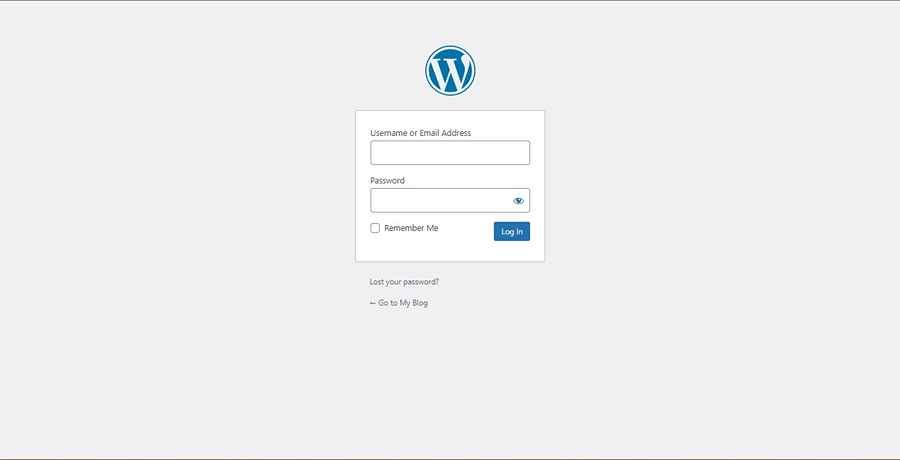
Screenshot of WordPress default login page
  1. Ultimate Dashboard: Choose this plugin if you want a lot of control over the design of your login page. Also, you can redirect users after logging in.
  2. Theme My Login: Choose this if you want a simple login form with added features like integrations for Mailchimp signups and the use of reCAPTCHA (Integrations are paid features)

1. Using Ultimate Dashboard Plugin

1. Look for the Ultimate Dashboard plugin in the WordPress plugin directory.

Install and activate the plugin

Screenshot of Ultimate Dashboard in WordPress plugin directory

2. Hover over the Ultimate dashboard menu on the sidebar to expose the sub-menu items, and click on Login Customizer.
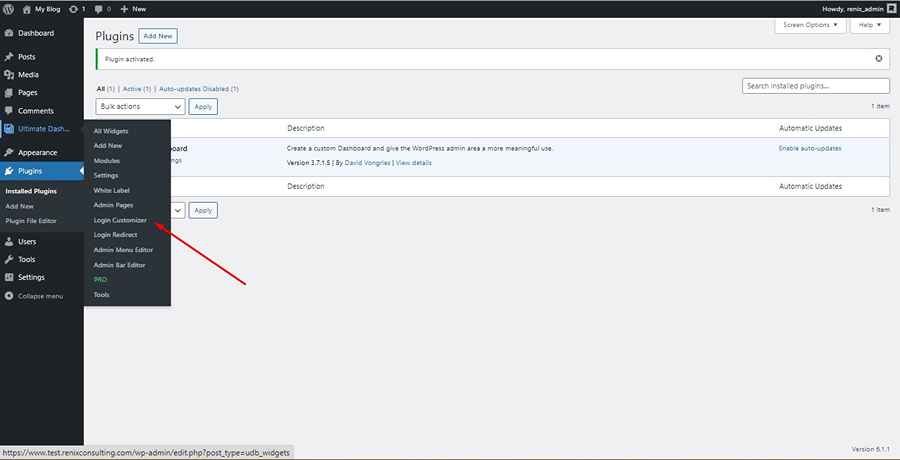
Screenshot of Ultimate Dashboard Login Customizer

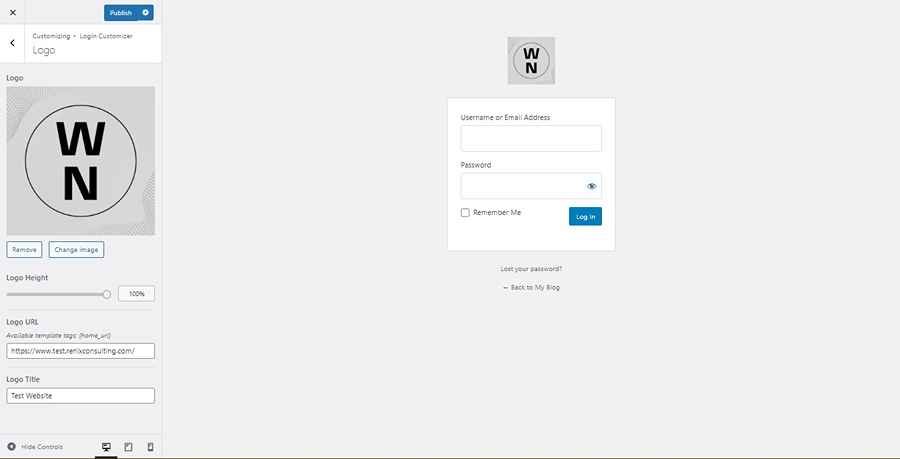
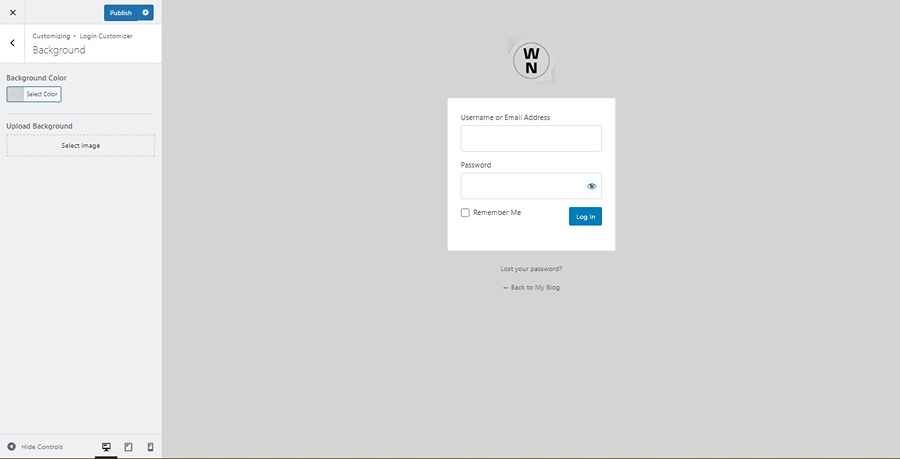
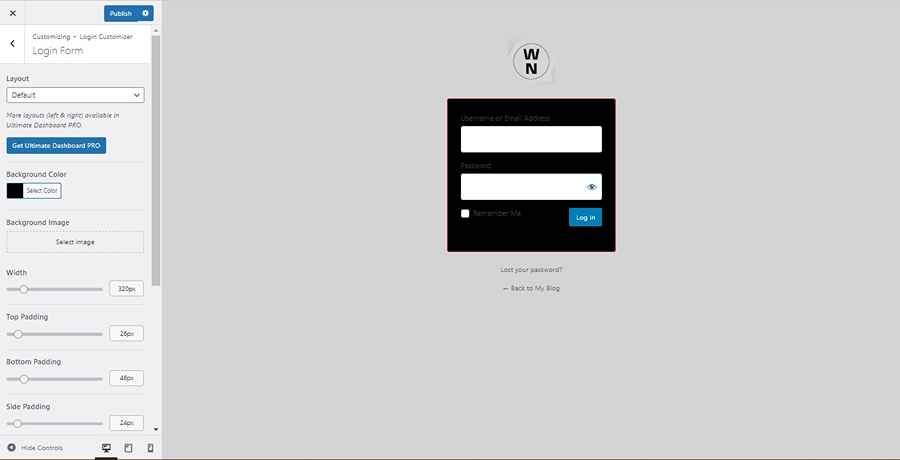
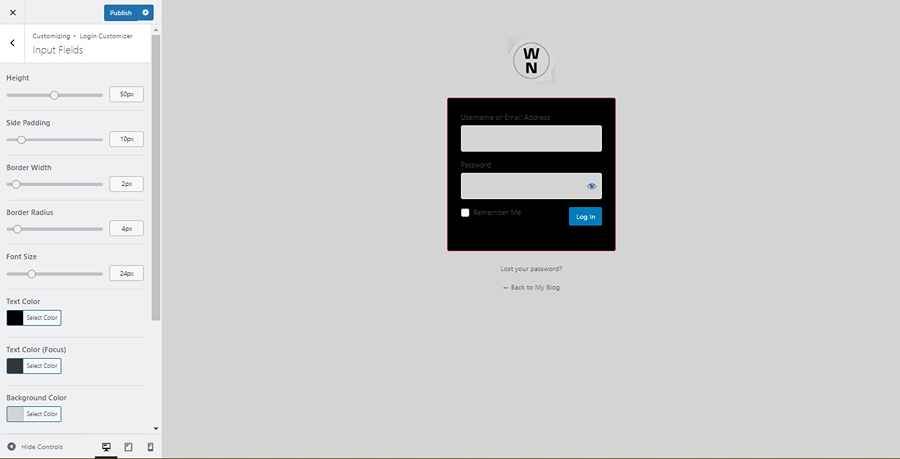
3. Here, you can customize each part of the login page – Layout (only one available in the free plan), Logo, Background, Login Form, Input Fields, Labels, Login button, and Footer.
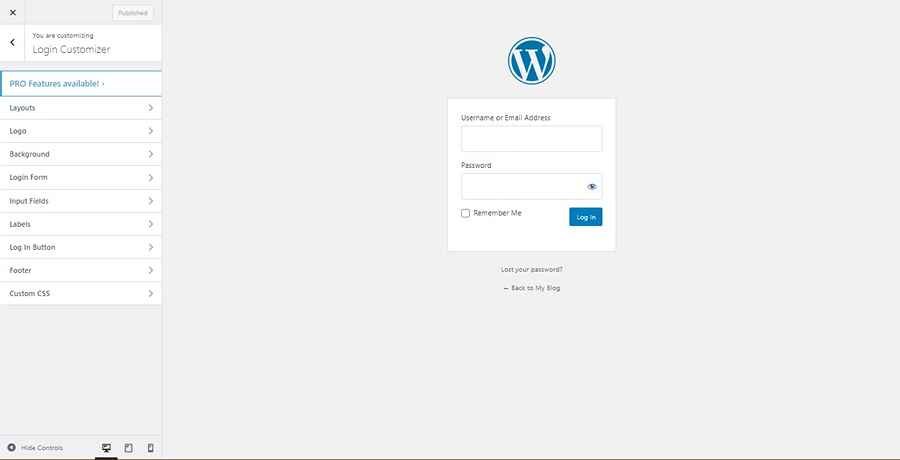
Screenshot of Ultimate Dashboard Login Customizer Settings

4. Logo setting

Screenshot of Ultimate Dashboard Logo Settings

5. Background setting

Screenshot of Ultimate Dashboard Background Settings

6. Login Form setting

Screenshot of Ultimate Dashboard Login Form Settings

7. Input Fields setting

Screenshot of Ultimate Dashboard Input Field Settings

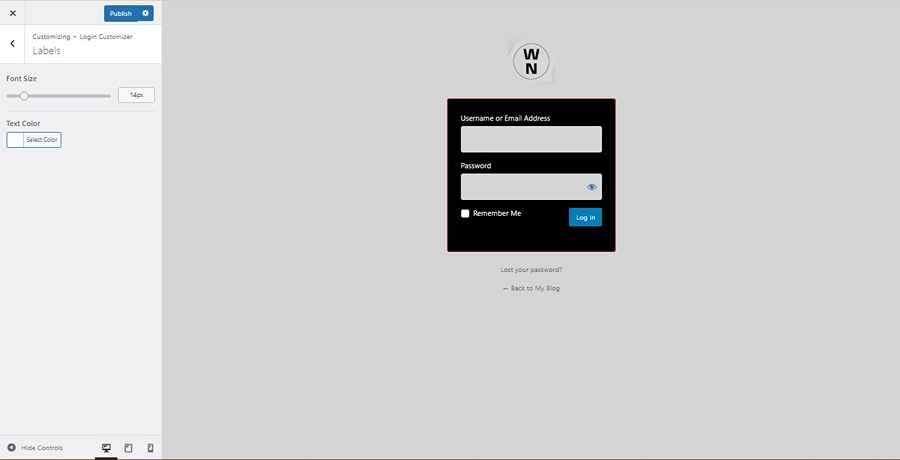
8. Label setting

Screenshot of Ultimate Dashboard Label settings

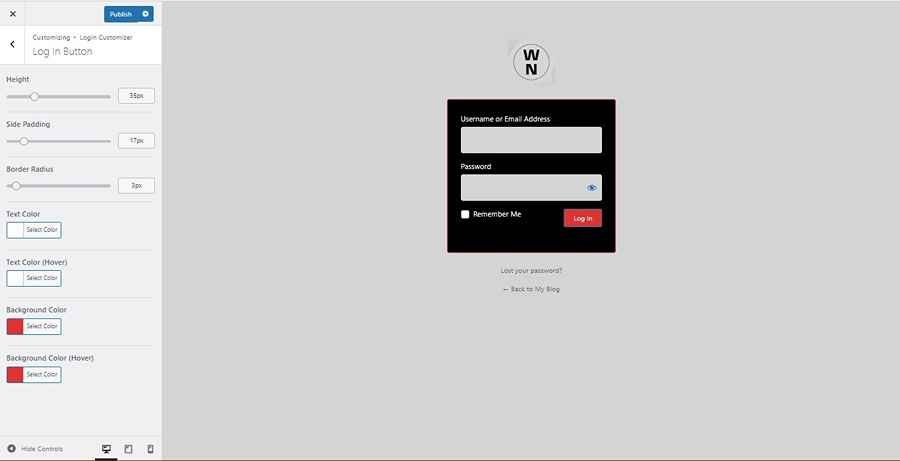
9. Login button setting

Screenshot of Ultimate Dashboard Login Button Settings

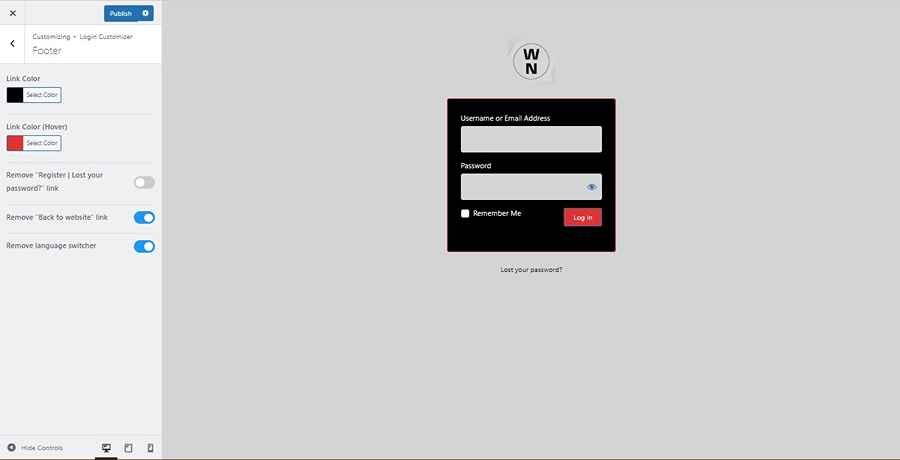
10. Footer setting.

Screenshot of Ultimate Dashboard Footer Settings

2. Using Theme My Login Plugin

1. Look for the Theme My Login plugin on the WordPress plugin directory.

Install and activate the plugin.

Screenshot of Theme My Login in WordPress plugin directory

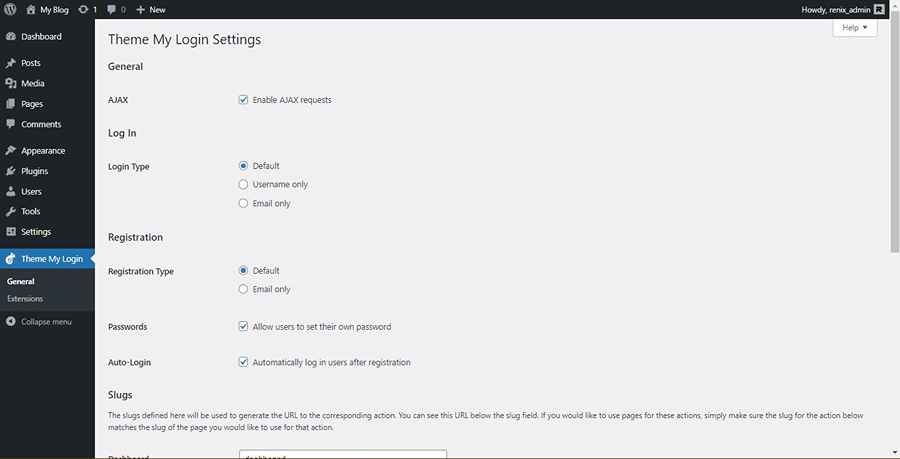
2. Navigate to the plugin settings page
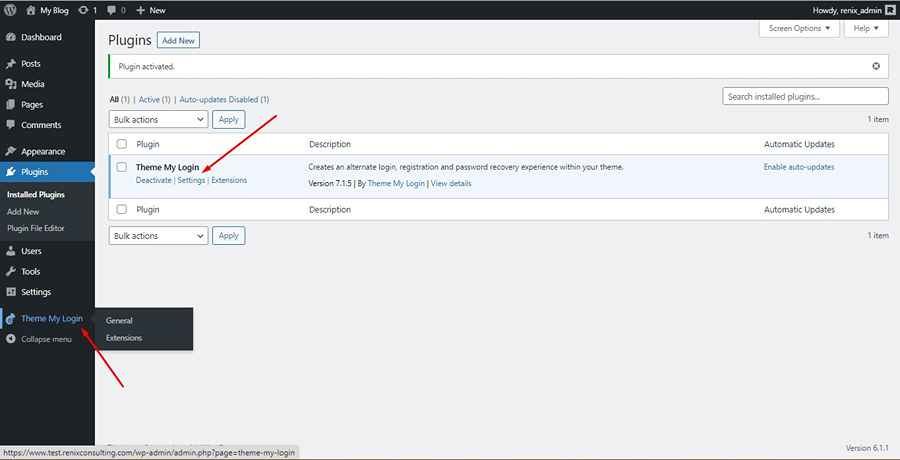
Screenshot of Theme My Login Settings Link

3. Make changes as necessary

4. You can make use of the custom slugs or create a new page (and slug) for your login page and any other needed page.
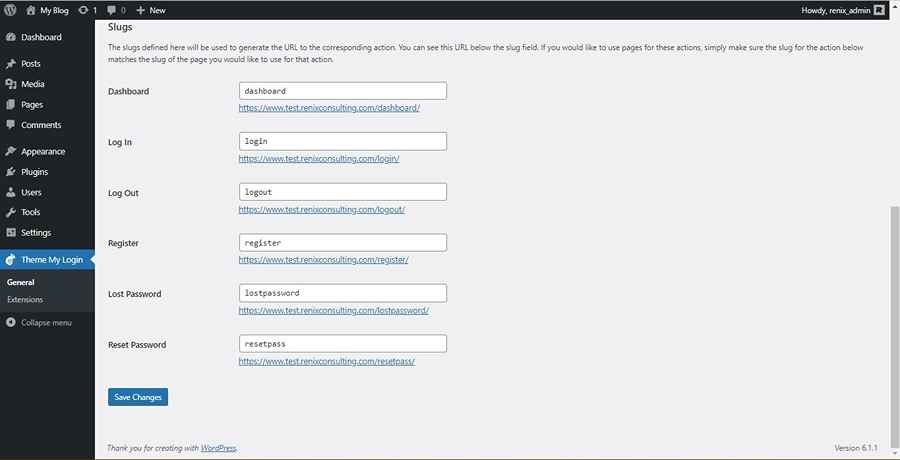
Screenshot of Theme My Login Slug Links

5. That’s all! You can now navigate to your new login page to access the changes.

In this demo, that would be the /login page.
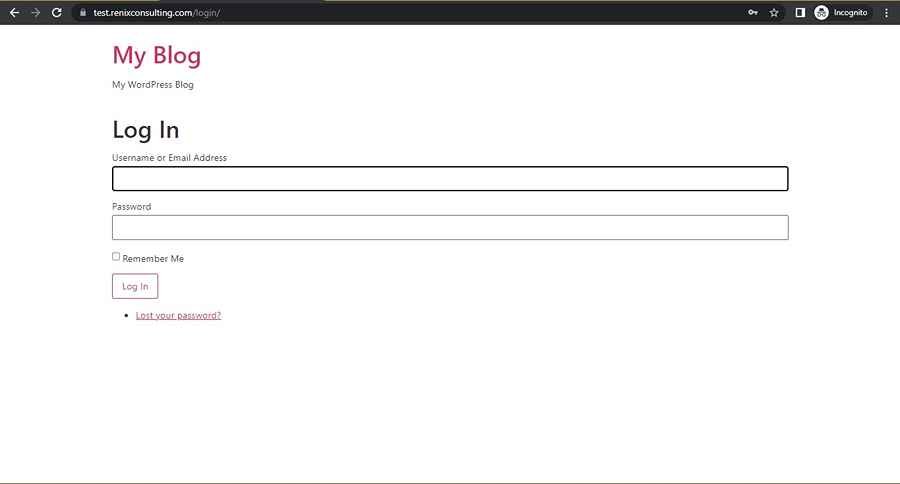
Screenshot of Theme My Login Login Page

Note-

  1. You can use shortcodes for this plugin, find out more here.
  2. You can use any of the following shortcodes
    • For login page: [theme-my-login]
    • For registration page: [theme-my-login action=”register”]
    • For the lost password page: [theme-my-login action=”lostpassword”]
    • For reset password page: [theme-my-login action=”resetpass”]
  3. You can purchase extensions to access more features like email subscriptions of users upon registration, etc.
Screenshot of Theme My Login Extensions

Conclusion

With any of these plugins, you can customize your website login page and change the link(s).

If you require added integrations for email subscriptions, choose the Theme My Login however, if you want more control over the design of the login page, choose the Ultimate dashboard plugin.

If you would like to change the login page link as well from wp-admin to any custom text, check out this guide.

Did you enjoy this post?

If so, please share it with your friends and followers on social media! It's a great way to help others learn about WordPress and to support our blog. You can use the share buttons below...

FREE QUOTE

December 29, 2023

Guide to set up Google Tag Manager on WordPress site (2025)


Read More

December 22, 2023

8 top profitable ad placements for your Nigerian WordPress website


Read More

December 21, 2023

Website caching: a guide to speeding up your WordPress website in Nigeria


Read More

November 10, 2023

Ultimate guide to identify, fix and prevent broken links on your Nigerian WordPress website


Read More

Elevate Your Brand with Professional Website Design

Discover how we can transform your online presence with professional website design services. We specialise in creating modern, user-friendly websites tailored for the medical, legal, university, and Christian sectors. If you're ready to elevate your brand and connect with your audience more effectively, contact us today to get started!

Our Services

Tutorials on YouTube

And if you’re looking for more in-depth WordPress tutorials,be sure to subscribe to our YouTube channel! We have a wide variety of videos on WordPress.

SUBSCRIBE

Add comment Cancel reply

This site uses Akismet to reduce spam. Learn how your comment data is processed.

  • 10 important reasons to redesign your Nigerian WordPress website
  • Blog
  • 3 easy ways to change the login URL of WordPress websites: default wp-admin to any text
Renix RC Logo Black Medium

Renix Consulting is a website design agency, we help businesses of all sizes create beautiful, functional, and user-friendly websites that represent their brand and achieve their online goals.

Newsletter

Renix

Blog
About Us
Services
Portfolio
Project Questionnaire
Contact Us

Other Links

Affiliate Disclosure
Cookie Policy
Privacy Policy
Terms and Conditions

WP Resources

Terminologies
Software
Web design Tools

© 2026 Website Design Agency | Renix Consulting. All rights reserved
CHAT WITH US ON WHATSAPP
Hello 👋
Tell us about your website project here, we can't wait to hear from you.
Open chat